







Ellsby
Now in private beta

One calendar for two homes. No surprises.

Ellsby keeps the custody schedule, school days, activities, requests, and expenses in one place both parents can see, so nothing about the kids lands on anyone by surprise.

Free during beta·iPhone·Subscribes to Apple and Google Calendar

The fights kids see start small.

A practice that moved. A form due tomorrow. A day off school nobody mentioned. Most conflict between two homes isn't about big decisions; it's about small surprises, and kids are usually in the room when they land. Ellsby exists to make those moments rare.

Everything about the kids, in one place both of you can see.

Set it up once. From then on, both homes are looking at the same page.

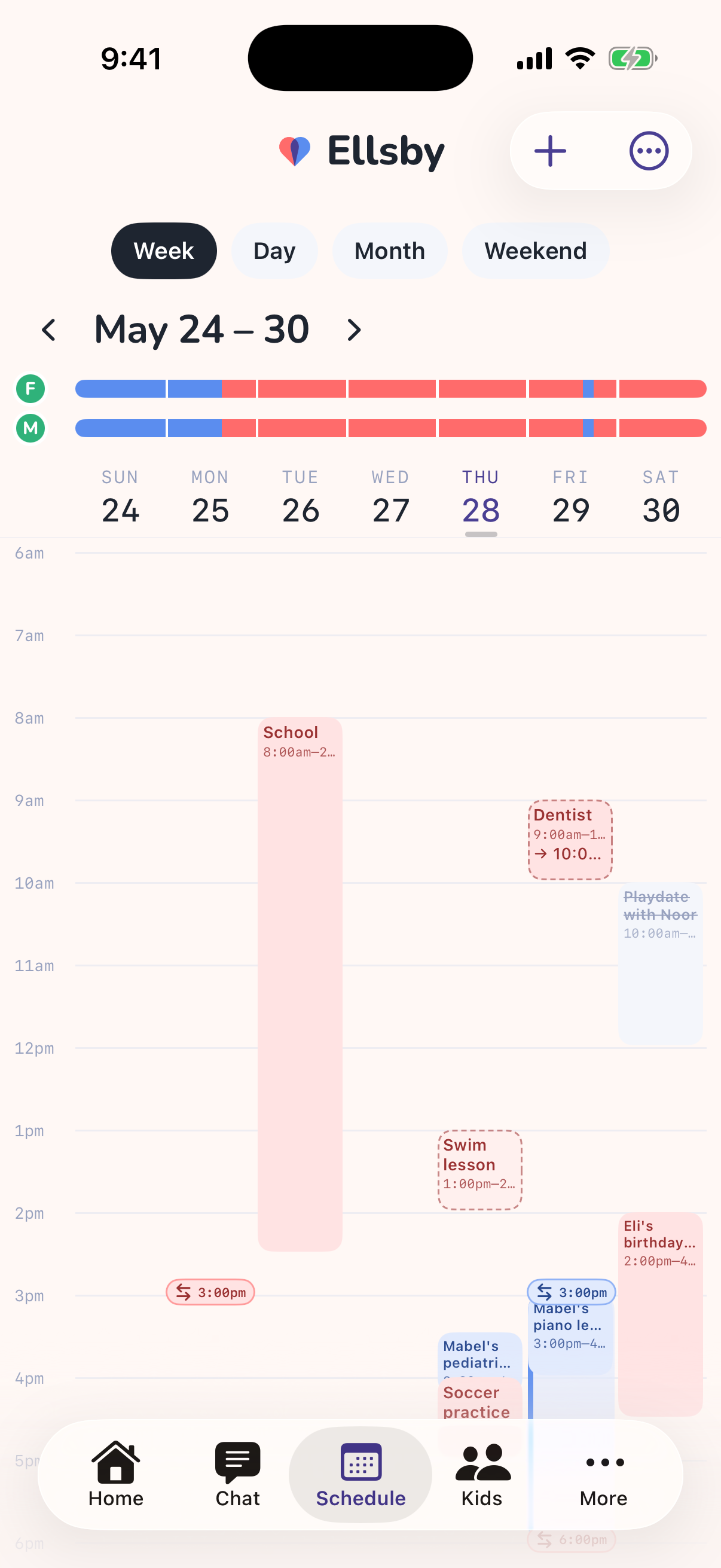
The schedule, exactly as you agreed it

Week on, week off. 2-2-3. Every other weekend with a Wednesday dinner. Describe it in plain English and Ellsby builds the calendar, including handoffs, holidays, and the one-off changes you both approve.

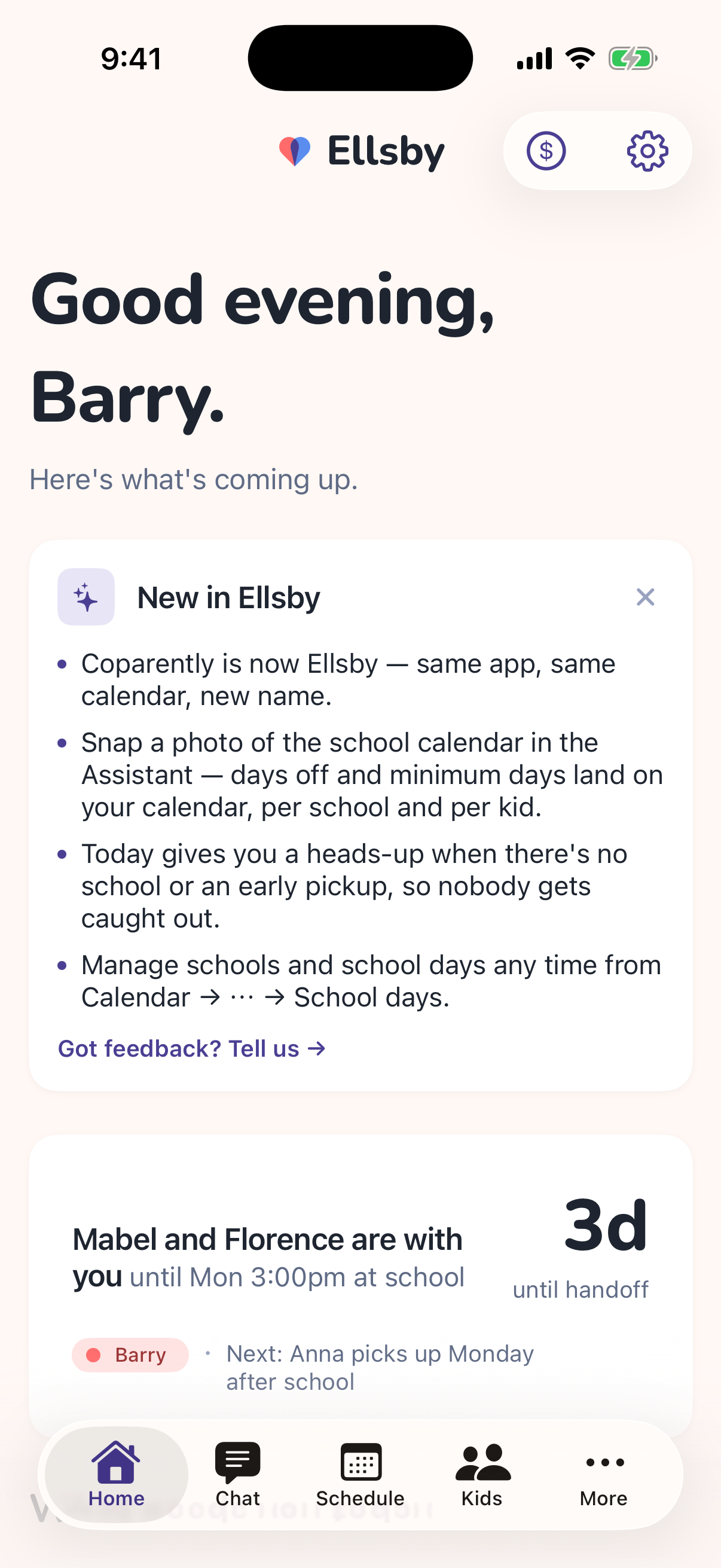
Any day, either parent can see who has Mabel and Florence, when the next handoff is, and where.

Add it once. It's on both calendars.

Soccer, piano, the dentist. Every event shows which kid it's for and who's responsible that day. If it falls on the other parent's time, they're asked first, so nothing appears on your days without you.

When something changes, the other parent is told. Quietly, once.

Ask. Don't assume.

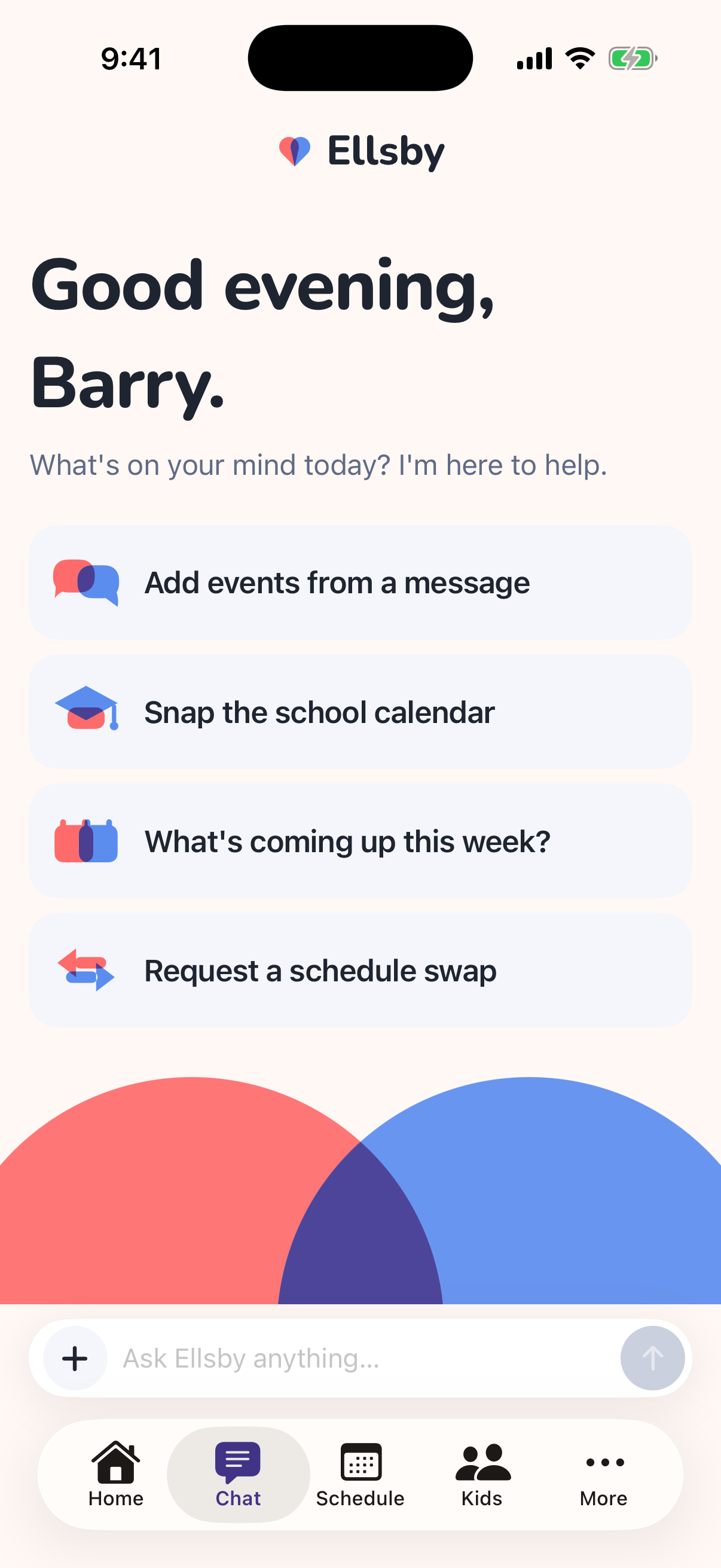
Need to swap a weekend or move a practice onto the other parent's day? Send a request. They see exactly what would change and answer with a tap. The request, the answer, and the date are kept.

No group text. No "I thought we said." Just a clear yes or no, and a calendar that already reflects it.

School days off, before they surprise anyone

A day off school changes who's doing pickup. Ellsby keeps each kid's school calendar, with no-school days and minimum days, on both parents' calendars, tied to the right school.

So the Monday the school is closed is something you both knew about in September.

Shared expenses

Log a cost, split it by the rule you agreed on, see who owes what. Settle up by recording it, not arguing about it.

Kid records

Insurance cards, doctors, school contacts, the allergy list. One place both parents can open at the pharmacy counter.

Your calendar, too

Subscribe from Apple or Google Calendar. Custody and events show up where you already look.

Notifications that earn it

A push when something changes for you or needs your answer. Nothing else.

Snap it, don't type it.

Take a photo of the school calendar, the team schedule, or the flyer on the fridge. Paste the text from a coach or a class parent. Ellsby reads it and shows you what it found: the days off, the minimum days, the Tuesday practices through November.

You check it, confirm, and it's on both parents' calendars. Nothing is saved until you say so.

Built to lower the temperature.

Ellsby doesn't ask two people to get along. It removes the reasons they'd have to.

Both parents see the same thing

One calendar, one set of records, one ledger. There's nothing to relay, forward, or remember to mention, and no version of events to argue about.

Changes on the other parent's time are requests

Not announcements. You propose, they answer, and the calendar updates only when you both agree. Approvals and declines are recorded with the date.

Neutral by design

Ellsby shows dates, times, places, and amounts. It doesn't take sides, score anyone, or add commentary. Both of you get the same calm interface.

Records, when you want them

What each parent entered, and when, is kept as a clear history. You can subscribe to your calendar or ask for an export at any time. It's your family's information.

Nothing forced

Nobody is made to use Ellsby, and nobody is locked in. It's useful on your own from the first day, your co-parent joins when they want to, and your data leaves with you if you go.

How it works

Ten minutes to set up. Then it mostly runs itself.

  1. Describe your schedule in plain English

    Type it the way you'd say it. Ellsby turns it into a real custody calendar, including handoffs and holidays.

    "Week on, week off. We switch Mondays at school."
  2. Invite your co-parent

    Send a link. When they join, they see the same calendar you do. Until then, Ellsby is fully yours to use: schedule, events, records, all of it.

  3. Everything stays in sync

    Add an event, snap a flyer, log an expense. It shows up for both of you, and in Apple or Google Calendar if you subscribe. Changes on the other parent's time go through as requests.

Questions

Is it free during the beta?

Yes. Ellsby is free while it's in beta. If we introduce pricing later, we'll tell you first and give you time to decide. Your data stays yours to export either way.

Does my co-parent have to use it?

No. Ellsby works on your own from day one: your schedule, your calendar, your records. When your co-parent joins, the shared parts turn on. You both see the same calendar, and changes on each other's time go through requests.

We don't pressure anyone to join. In our experience, most co-parents do once they see it's just the schedule, not a message board.

What about court?

Ellsby is not a legal tool and we don't give legal advice. What it does keep is a clear, dated record of the schedule, events, requests, and answers as each parent entered them. You can subscribe to your calendar from other apps and ask us for an export of your data at any time, and you can share those with whoever you choose.

If you need documentation for a legal matter, ask your attorney what would actually be useful.

What can it read from a photo or a message?

School calendars, team schedules, flyers, and pasted or screenshotted messages. Ellsby proposes what it found (events, days off, minimum days) and you confirm before anything is saved. The content is sent to our AI provider to be read, and is not used to train models. Details are in the privacy policy.

Who can see our family's information?

The two parents in your family, and nobody else. Each family's data is isolated in our database. We don't sell it, and there's no advertising. See the privacy policy for the full picture.

What do I need to run it?

An iPhone. The beta is delivered through TestFlight; we'll send instructions when you join. Any calendar app that can subscribe to a calendar link can show your Ellsby calendar.

Fewer surprises, starting this week.

Ellsby is in private beta. Tell us a little about your family and we'll get you set up.

Or write to hello@ellsby.com